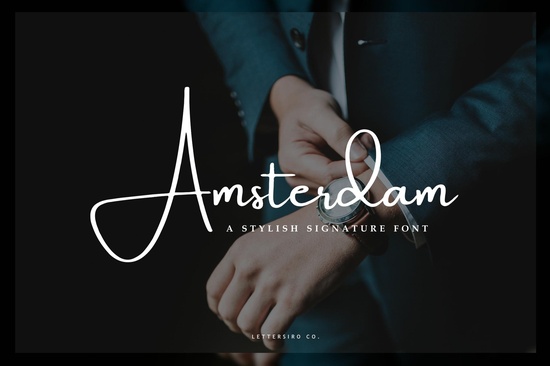
If you've been searching for a signature-style font that looks natural and elegant, the Amsterdam font is worth a closer look. Designed with a modern, handwritten feel inspired by contemporary photography aesthetics, it works beautifully as a photo watermark, personal signature, or branding element. Whether you're a photographer, small business owner, or creative hobbyist, this font brings a polished yet personal touch to your projects.
What Makes This Signature Font Stand Out?
Amsterdam has flowing, connected letterforms that mimic real handwriting. Its clean curves and balanced spacing make it versatile enough for both digital and print use. Unlike many script fonts that feel overly decorative or hard to read, Amsterdam keeps things legible while still feeling personal and warm.
It's particularly well-suited for:
- Photo watermarks Add a subtle, professional mark to your photography
- Business signatures Create a consistent handwritten look for emails, contracts, or letterheads
- Branding materials Use it on business cards, packaging, or social media graphics
- Wedding invitations and stationery Perfect for elegant, personal designs
- Print-on-demand products Add hand-lettered style quotes to mugs, t-shirts, and tote bags
How Do I Use a Signature Font for Watermarking Photos?
Watermarking your photos is one of the simplest ways to protect your work online. A signature font like Amsterdam gives your watermark a professional, handcrafted look instead of a generic "© Your Name" stamp. Here's a quick way to do it:
- Install the Amsterdam font on your computer
- Open your photo in your preferred editing software (Photoshop, Canva, GIMP, etc.)
- Type your name or business name using the font
- Adjust the size, color, and opacity to blend naturally with the image
- Save as a reusable template for batch editing
The key is keeping the watermark subtle enough that it doesn't distract from the image, but visible enough to discourage unauthorized use. A semi-transparent version in a corner usually works best. For a deeper look at watermark best practices, how to watermark your photos is a helpful reference.
Does It Work Well for Branding and Business Use?
Absolutely. If you run a small business, a consistent visual identity matters and your typography plays a big role in that. Amsterdam gives your brand a personal, approachable feel without looking sloppy. It pairs well with clean sans-serif fonts for body text, making it a solid choice for logos, headers, and accent text on marketing materials.
For designers working on client projects, having a reliable signature font in your toolkit saves time. You can pull it out whenever a project calls for something elegant but not overly formal. If you're building a collection, other script fonts like Norelia Daily offer a slightly different personality more casual and playful while Happy Saturday brings a relaxed, friendly vibe that's great for lifestyle brands.
What Other Fonts Pair Well With Amsterdam?
Pairing script fonts with the right companion typeface can make or break a design. Amsterdam's flowing style works best alongside simple, geometric fonts that don't compete for attention. Think clean sans-serifs or minimal serifs for body copy.
Here are a few combinations that tend to work well:
- Amsterdam + a clean sans-serif Classic, professional look for business cards and websites
- Amsterdam + Little Typewriter A fun contrast between elegant script and vintage typewriter texture
- Amsterdam + Arkina Duo Modern and stylish, great for fashion or beauty branding
If you're working on seasonal projects or casual designs, Sunshine Lemons is a cheerful script option that fills a different niche bright, fun, and perfect for summer-themed graphics.
Is This a Good Choice for Print-on-Demand Sellers?
If you sell on platforms like Redbubble, Merch by Amazon, or Etsy, adding a signature-style script font to your designs can help them stand out. Amsterdam works especially well for quote-based designs, personalized name products, and minimalist typography layouts.
Just make sure to check the font license for your specific use case. Most fonts on Creative Fabrica come with a license that covers commercial use, but it's always smart to double-check before listing products for sale.
Quick Checklist Before You Start Designing
- Download and install the Amsterdam font on your system
- Confirm the license covers your intended use (personal, commercial, POD)
- Choose 1–2 complementary fonts for pairing
- Test the font at different sizes to check readability
- Create a watermark template you can reuse across your photo library
- Save a version with transparency settings for easy overlay on images
Next step: Start with a small project like updating your watermark or designing a new business card to see how Amsterdam fits your style. Once you test it in action, you'll quickly know where it works best in your workflow.
Download Now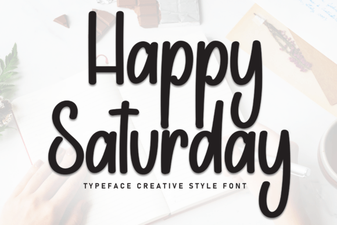 Happy Saturday Font for Cheerful Weekend Design Projects
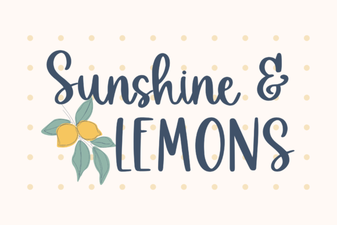 Brighten Your Designs with Sunshine & Lemons Font
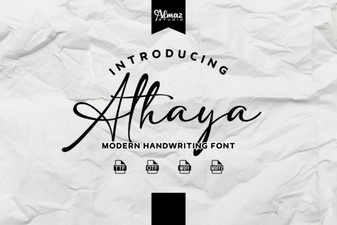 Athaya Font: Elegant Script for Creative Design Projects
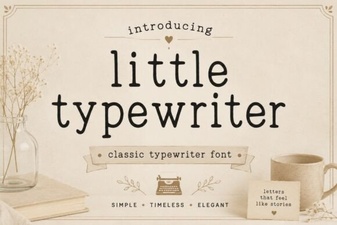 Charming Little Typewriter Font for Creative Projects
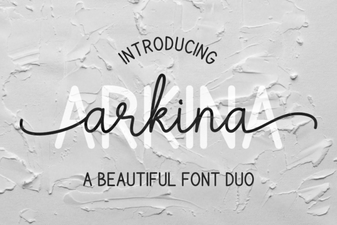 Arkina Duo Script Font – Elegant Modern Typeface for Creative Design
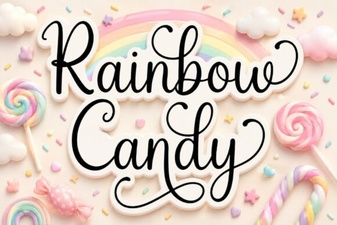 Rainbow Candy Font Free Download - Script Fonts