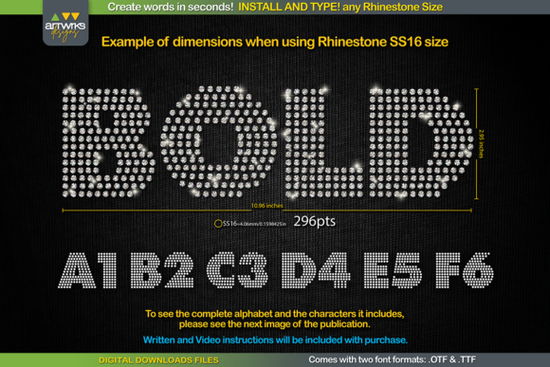
If you're looking for a fast way to create rhinestone text designs without manually placing every stone, the RS04 Modern DIY Rhinestone TTF Template Font is built exactly for that. You install it like any regular font, type your word, and each letter is automatically filled with rhinestone placement dots ready to cut and transfer. It works with Cricut Design Space, Silhouette Studio, and other popular design programs on both Windows and Mac.
What Is a Rhinestone TTF Template Font?
A rhinestone TTF font is a special typeface where every letter and character is made up of dots arranged to match rhinestone hole positions. Instead of drawing circles by hand or buying pre-made templates, you simply type your text and the layout is done for you. This saves a huge amount of time, especially if you're making custom t-shirts, tote bags, hoodies, or anything that needs sparkle.
The RS04 Modern DIY Rhinestone TTF Template Font comes in both .TTF and .OTF formats, so it works across most design software. The modern sans-serif style gives your rhinestone projects a clean, updated look that works well for names, short phrases, monograms, and bold headlines.
How Do You Use It With Different Rhinestone Sizes?
One of the best things about this font is that you can adjust it for different stone sizes. You don't need separate files for each size just change the font point size in your design program. Here are the recommended settings:
- SS6 rhinestones: 189 pt
- SS10 rhinestones: 241 pt
- SS16 rhinestones: 295 pt
- SS20 rhinestones: 388 pt
Note: If you're using Cricut Design Space, the software sometimes doesn't hold the exact size you type in. The product includes instructions to work around this issue so you get accurate results every time.
Can Beginners Use This Font?
Absolutely. The whole point of this typeable rhinestone template is simplicity. Here's the basic process:
- Download and unzip the font file.
- Install the .TTF file (right-click and select "Install for all users" on Windows).
- Open your design software and type your word using the font.
- Set the font size based on your rhinestone size.
- Send the design to your cutting machine.
That's it. No tracing, no manual dot placement, no extra templates to buy. Each letter comes pre-filled with properly spaced and trapped dots, making it compatible with both rhinestone and heat transfer vinyl projects.
What Can You Make With It?
This font is versatile enough for a range of projects. Crafters and small business owners use it for:
- Custom rhinestone t-shirts and sweatshirts
- Personalized tote bags and hats
- Heat transfer vinyl text designs
- Dance team and cheer gear
- Bachelorette party and event shirts
- Small business branded merchandise
The modern lettering style works well on its own or paired with other fonts. If you want to mix in a softer style for contrast, something like the Fluffernutter font or the Onelia font can complement the clean look of the rhinestone letters.
What Software and Devices Does It Work With?
This RS04 Modern DIY Rhinestone TTF Template Font is a standard digital font file, so it works on most devices and platforms:
- Windows and Mac desktops and laptops
- iPad and iPhone (with compatible apps)
- Cricut Design Space
- Silhouette Studio
- Inkscape, Illustrator, and other vector editors
Since it's a TTF font, there's no plugin or special software needed. Install it once and it shows up in your font list just like any other typeface.
Tips for Getting Clean Results
A few practical things to keep in mind when working with rhinestone template fonts:
- Use a sticky mat or transfer sheet so the rhinestones stay in place after cutting.
- Test cut a single letter first before running a full design to make sure the size and spacing look right.
- Keep words short rhinestone designs read best with names, initials, or short phrases.
- Pair with other fonts for creative layouts. The Mochacino font or Brooklyn font are good options for mixing styles in multi-font designs.
Quick-Start Checklist
- ☑️ Download and unzip the font file
- ☑️ Install the .TTF or .OTF file on your device
- ☑️ Open your design program and select the font
- ☑️ Type your text and set the correct point size for your rhinestone size
- ☑️ Test cut one letter before doing a full run
- ☑️ Cut, place your rhinestones, and heat press
Next step: If you're ready to try it, grab the font and test it with a single short word first. Once you see how quickly the template comes together, you'll have a much better feel for sizing and spacing before moving on to bigger projects.
Learn More Brooklyn Font: Modern Styling Ideas for Creative Projects
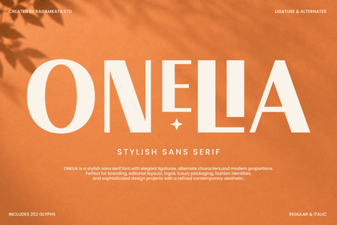 Onelia Font: a Stylish Modern Typeface for Creative Designs
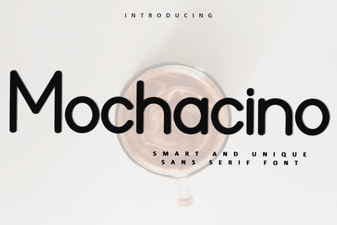 Discover the Warm Elegance of Mochacino Font for Your Designs
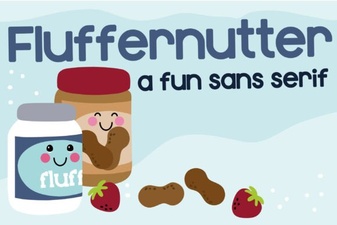 Fluffernutter Font: a Whimsical Type for Creative Projects
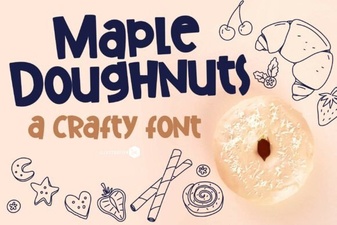 Designing with the Maple Doughnuts Font Family
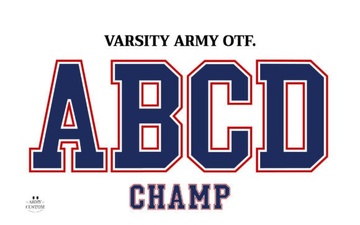 Varsity Army Font: Bold Military-Inspired Typography for Design